
Downloading & Installing Thesaurus Accounts Bureau Version
A Bureau Licence is a one-site licence which allows the setup of the bureau thesaurus accounts on a server / multiple pc. The bureau version supports the accounts of multiple companies.
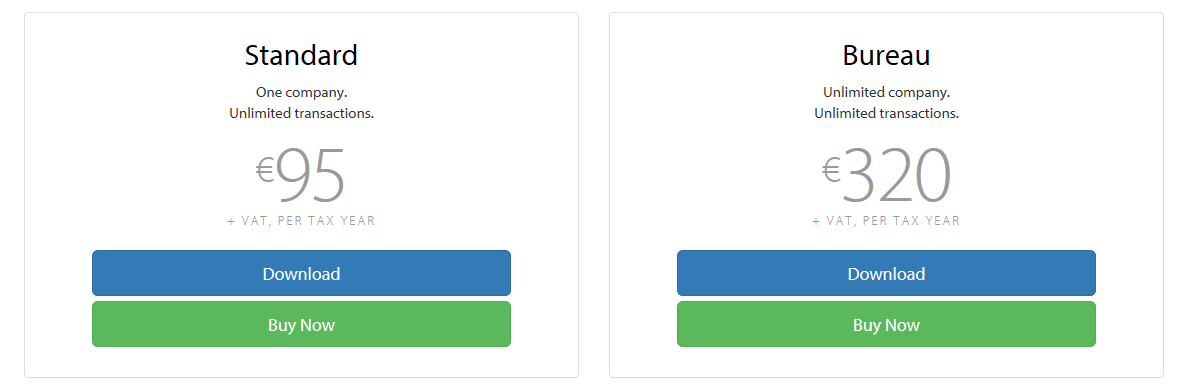
To install Thesaurus Accounts, click on the designated Download button on the Thesaurus Software website www.thesaurus.ie and select the Bureau version to install:
 |
 |
- If you are asked whether you would like to run or save the software, select Run when prompted.
- On the Welcome to the Thesaurus Accounts Setup Wizard, click Next to continue.
- Read the license agreement carefully and if happy to accept the terms tick the box provided. Then click Next.
- On the next screen, you will be asked where you would like to install the software. The recommended default location for the installation will be displayed in the box. To install to this folder, simply click Install. Alternatively, if you wish to install the software in a different location of your choice, click the Browse button and browse to your destination folder.
Note: The software is designed to be installed and run from the local C drive of each user's PC - As soon as the Setup Wizard has completed, simply click Finish.
Note: The Thesaurus Accounts icon should now be present on your Desktop to access the software. - If an icon hasn’t been created on your Desktop, one can be created by browsing to your Thesaurus Accounts installation folder and right-clicking on the thesaurusaccounts.exe file that can be found here. Selecting the option Send to > Desktop (create shortcut) will now place the Thesaurus Accounts icon on the Desktop for you.
Creating and Accessing a Central Data Location
- First, set up a new folder on your server/ network/ cloud environment into which your company data files are to be saved and accessed. It is from this same location that users will access the files once the company data files have been created. This folder can be called Thesaurus Accounts Company Files, for example.
- Go to each PC and double-click into your Thesaurus Accounts software using your Desktop icon.
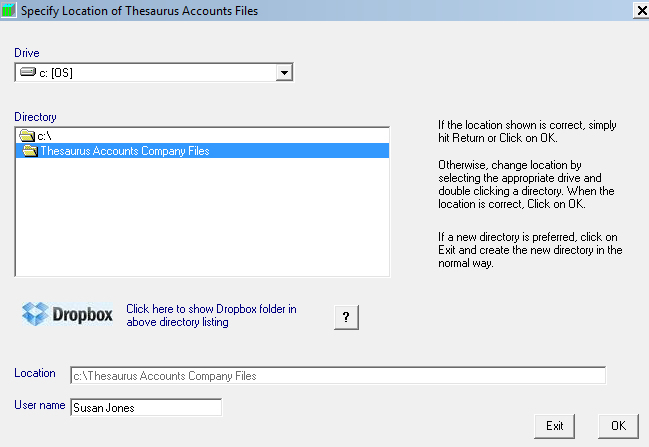
- Next, you will be asked to specify the location of your company data files - direct this to the folder that has been set up in Step 1
- To do this, select the relevant drive from the drop-down list of drives. The drive you select will now appear under Drive as well as under Directory.
- Within the Directory box, all the folders on the drive selected will be listed. Double-click on the Thesaurus Accounts folder that has been set up in Step 1.
- Enter the User Name for this particular PC.
- Click OK
- Repeat steps 2 to 4 on each individual's PC
|
Comments
0 comments
Please sign in to leave a comment.