
This can only be used to delete a Block of entries from the start of the daybook to a selected transaction or from a selected transaction to the end of the daybook.
File> Daybook and Corrections
Note- Leave the Transaction Date Range Blank
- Click OK to run the listing of transactions
- To delete from a chosen transaction to the end transaction OR to delete from the chosen transaction to the first transaction in the list.
- Click on the transaction from which you want to delete and press the function key click F6, and the following box appears:
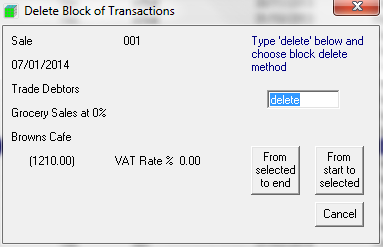
- Type Delete in the box and choose From Selected to End or From Start to Selected
Comments
0 comments
Please sign in to leave a comment.