
To write off a customer invoice as a bad debt, first, ensure that the Bad Debts nominal account is flagged for viewing within your Sales transactions screens:
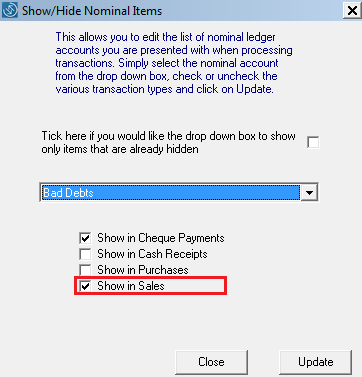
- Go to Setup > Show/ Hide Nominal Accounts:
- Select Bad Debts from the drop-down list
- Tick to flag the account for viewing in Sales (if not already done so)
- Click Update
-
Go to Sales > Batch Entry:
-
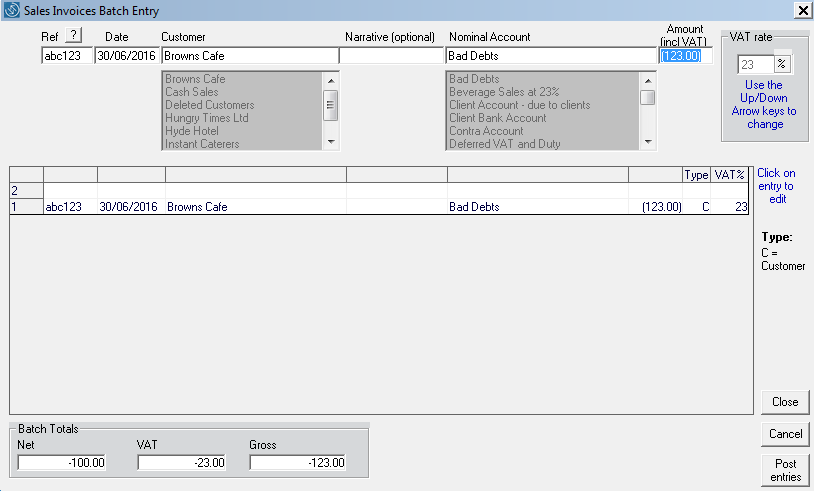
Enter relevant references, date and choose the customer (also enter a narrative if required)
-
Enter the VAT-inclusive amount of the invoice as a MINUS and choose the VAT rate that was applied to the original invoice.
-
Post entry
-
Choose Bad Debts as the Nominal Account
Comments
0 comments
Please sign in to leave a comment.