
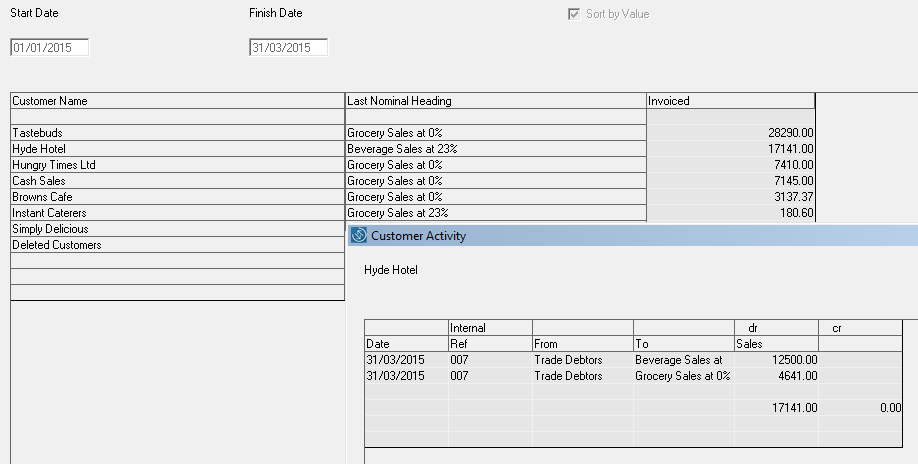
This report reflects the total invoiced to customers within the user-defined period for which the report is prepared. This report does not reflect balances owed by customers as it only reflects invoices and not receipts. Balances owed by customers can be viewed by accessing the Aged Debtors Listing in the Reports Menu.
Go to Reports > Customer Activity
- Date From - type the date on which you wish the report to start from
- Date To - type the date on which you wish the report to end on
- Press Prepare
- Sort by value - this will sort the customer listing in descending order
Simply double-click on any Customer account within this report to view a full listing of the invoices issued making up the total invoiced activity.
 |
Comments
0 comments
Please sign in to leave a comment.